Duplicates & smart organize
Photo cleaner for iPhone. Find clutter, review, free space.
AI Cleaning is a photo cleaner for iPhone that finds duplicate and similar photos, screenshots, blurry shots, and large files. Analysis stays on-device, and nothing is deleted without your confirmation.
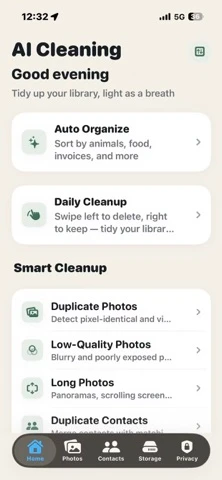
Why classification matters
Photo cleanup is more useful after classification.
A strong iPhone photo cleaner should help users understand what is in their library before asking them to delete. AI Cleaning organizes categories first, then surfaces cleanup work. The dedicated AI photo classification page explains the smart category layer in more detail. If the user's main goal is freeing space, use the iPhone storage cleanup guide.
Animals, plants, food, restaurants, documents, receipts, ID cards, invoices, and group photos.
Find exact duplicates and visually similar photos for manual review.
Review screenshots, blurry photos, large media, and storage-heavy cleanup opportunities.
Current release
Specific product facts, checked against the App Store.
The feature details reflect app version 1.1.6 and were rechecked on September 29, 2026; App Store version notes can vary by storefront. See the current App Store listing. They describe what the app does today rather than making broad cleaner claims.
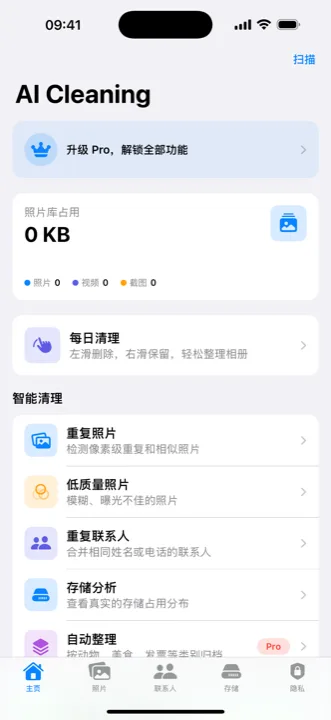
Apple Vision feature-print comparisons and category analysis run on the iPhone. The current listing states that the photo library is not uploaded.
Animals, plants, food, restaurants, group photos, documents, invoices, receipts, and ID cards.
Review photos before confirming. Free users get one successful in-app cleanup action across eligible tools; additional gated actions require Pro. Daily Cleanup's 30 daily review cards do not delete photos by themselves.
Private Vault keeps selected photos in an app-private, Face ID-locked store; Live Photo Slimming keeps the still image without its motion clip; Burst Cleanup helps review shots from a burst. Requires iOS 16.0 or later.
Read in your language
Use the photo-cleanup guide in Japanese, German, or Turkish.
These localized workflows keep classification, duplicate review, deletion control, and App Store country details together.
Common questions
Photo cleaner app questions, answered directly.
Do photo cleaner apps work?
They can work for photo-library tasks the app can access, such as finding duplicate or similar photos, screenshots, blurry shots, and large media. They cannot clean protected iOS system data, and you should review every suggested deletion.
Are photo cleaner apps safe?
A photo cleaner is safer when analysis stays on-device, the developer publishes clear privacy disclosures, and nothing is deleted automatically. AI Cleaning presents candidates for review and asks for confirmation before deletion.
Does AI Cleaning upload the photo library?
No. The current App Store listing states that photo analysis runs on the iPhone and that core features do not require an internet connection.
Which iOS version does AI Cleaning require?
Version 1.1.6 requires iOS 16.0 or later, according to the current App Store listing.
Does AI Cleaning delete photos automatically?
No. AI Cleaning asks you to review and confirm before a cleanup action. Free users get one successful in-app cleanup action across eligible tools; additional gated actions require Pro. Daily Cleanup offers 30 review cards per day, but reviewing cards does not itself delete them.