AI Content Creator Toolkit
Seedance 2.5 is here. Is your asset management keeping up?
ByteDance just shipped Seedance 2.5 — 30-second native 4K AI video generation that dramatically speeds up content production. But faster generation means more assets piling up on your devices. Here are the tools that keep the rest of your workflow as fast as the AI.
Seedance 2.5 Overview
Why Seedance 2.5 matters for creators.
Announced at ByteDance's Volcano Engine FORCE conference in June 2026, Seedance 2.5 pushes AI video generation into production-grade territory. Here's what changed.
Most AI video tools cap at 15–20 seconds, forcing you to stitch clips and fight character drift. Seedance 2.5 generates a single continuous 30-second shot natively.
True 4K output, not upscaled. No extra super-resolution step needed for social media, ads, or client deliverables.
Feed up to 50 images, audio clips, or 3D blockouts simultaneously to control style, motion, and composition. This moves Seedance from creative toy to controllable production tool.
The Problem
More AI output means more asset chaos.
Working with Seedance 2.5 through Dreamina, Doubao, or CapCut, you can generate dozens of video clips and reference images per day. Add phone-shot location scouts, screenshots, and inspiration saves, and your camera roll becomes unmanageable fast. These tools solve that.
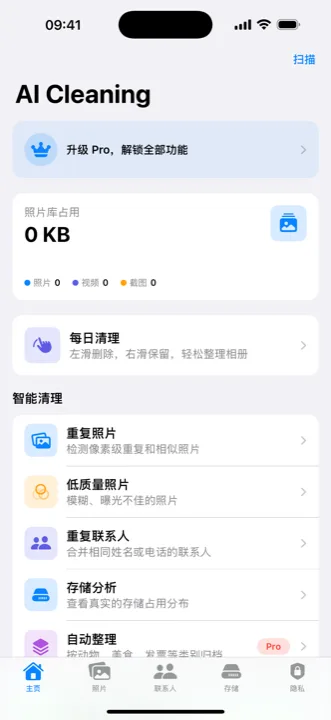
AI Cleaning uses on-device AI to automatically sort your iPhone photos into categories: food, plants, animals, receipts, IDs, documents, group photos, landscapes, and more. After a day of shooting reference material, browse by category instead of scrolling through hundreds of photos. Everything stays on your device — nothing uploaded.
Multiple AI-generated versions, burst shots from location scouting — duplicates pile up. AI Cleaning groups duplicates and near-duplicates so you review before deleting. It also flags screenshots, blurry shots, and large files to free up iPhone storage.
Travel video creators shooting abroad need real-time communication. Voice translation, photo OCR for signs and menus, and multi-language switching help you coordinate shoots and navigate foreign locations.
Workflow
A creator's asset management pipeline.
An efficient AI content workflow isn't just about generation. Collection, organization, and cleanup matter just as much.
Use Seedance 2.5 via Dreamina, Doubao, or CapCut to generate video clips. Shoot real-world reference footage on your phone. Save inspiration screenshots.
Open AI Cleaning and let on-device AI sort your photos. Landscapes go to landscapes, food to food, documents to documents. Find reference images by category instead of scrolling.
After a project wraps, run duplicate detection. Shot 20 photos of the same scene? AI Cleaning groups them — keep the best, delete the rest. Stay storage-ready for the next project.
Background
Seedance 2.5 key facts.
Quick reference for everything announced so far.
Built by ByteDance's Volcano Engine. Will be integrated into Dreamina, Doubao, and CapCut. Currently in enterprise beta, public launch expected early July 2026.
30-second native 4K video, 50 multi-modal reference inputs, 3D blockout pre-visualization, controllable video editing, 20% better prompt adherence. Predecessor Seedance 2.0 already leads independent blind-preference tests over Google Veo and Kling.
ByteDance announced an AI copyright commercialization platform alongside Seedance 2.5, connecting IP owners with creators. They've partnered with Stephen Chow's Bingo Group for authorized AI creation on three films.
FAQ
Seedance 2.5 and creator tools FAQ
It's in enterprise beta now. ByteDance targets a public launch in early July 2026, available through Dreamina, Doubao, and CapCut.
No. AI Cleaning uses on-device AI. All photo classification and analysis happens locally on your iPhone. No photos are uploaded to any server.
No direct integration. Seedance 2.5 handles video generation, AI Cleaning handles photo asset management, and the travel translator handles cross-language communication. They each solve a specific problem in the AI content creation workflow.
Pricing hasn't been announced yet. During beta it's on Volcano Engine's Model Ark API. At launch, expect free tiers and paid plans across Dreamina, Doubao, and CapCut.