Free iPhone bike tracker
Free bike ride tracker app for iPhone. No Start button.
HappyRide records qualifying bike rides automatically without tapping Start. Save GPS routes and Apple Health workouts; core tracking is free.
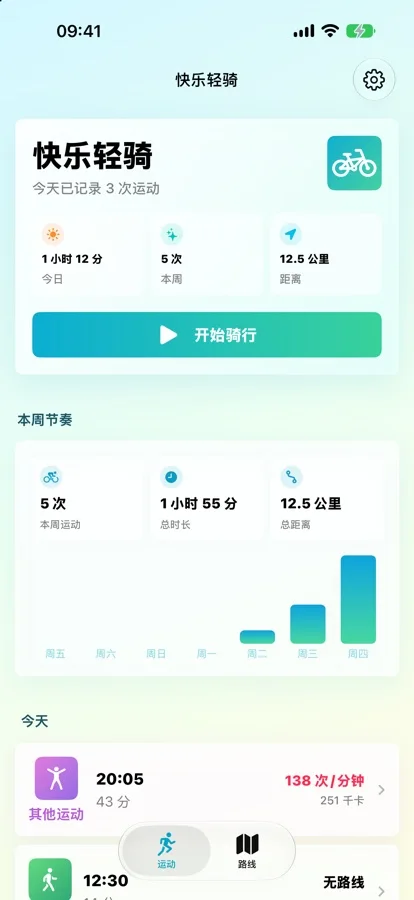
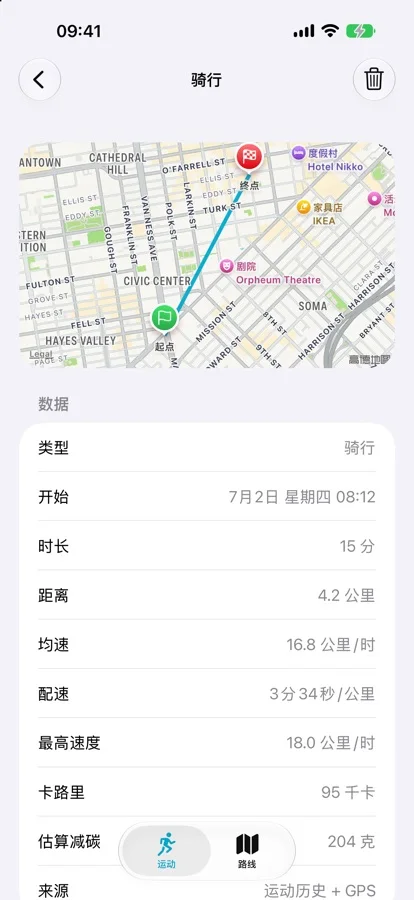
Bike ride tracker app
Track the ride first. Review the activity later.
HappyRide uses motion signals and background location to recognize qualifying outdoor activity and create a workout record, reducing the chance that a ride disappears because you forgot to tap Start.
Recognizes bike rides and records the route and workout details in the background.
The same automatic workflow can identify qualifying walks and runs.
Review individual activities and a weekly view instead of relying on memory.
Apple ecosystem
Routes, heart rate, calories, and workouts stay connected.
With permission, HappyRide can combine iPhone route tracking with Apple Watch heart-rate data and save the resulting workout to Apple Health.
Use heart-rate readings from Apple Watch during supported activities.
Qualifying activities can include route, heart rate, calories, and workout details in Health.
See ride-related information and access HappyRide from the watch face.
Optional route planning
Choose a route style, distance, or nearby destination.
The core tracker works offline by default. A separate optional subscription unlocks network-based route planning and turn alerts.
Compare Quiet, Scenic, Balanced, and Shortest routing preferences.
Build loops around 5, 10, or 20 km, or route toward a nearby destination.
Use navigation prompts while following a planned route.
Language and permissions
Know the current boundaries before installing.
The on-screen interface is currently Simplified Chinese only. Automatic tracking also depends on Motion & Fitness, background location, and Apple Health permissions that you can review in system settings.
Simplified Chinese is the only current interface language. A full English interface is planned but not yet available.
Used to distinguish cycling, walking, and running activity patterns.
Used to record routes when a qualifying activity is detected.
Used only with permission to read supported signals and write workout information.
Common questions
Free tracking, automatic recording, and compatibility.
Current product facts were checked against the public App Store listing on September 23, 2026.
Is HappyRide a free bike ride tracker app for iPhone?
Yes. HappyRide's core bike ride tracking, activity history, weekly statistics, Apple Health sync, and Apple Watch support are free. Quiet and Scenic route planning and turn-by-turn navigation are optional subscription features.
Does HappyRide start recording automatically?
HappyRide uses on-device motion signals and background location to detect cycling, walking, or running and record qualifying activities without requiring a manual start every time.
Does HappyRide work with Apple Watch and Apple Health?
Yes. HappyRide can use Apple Watch heart-rate data, includes a Watch app and complication, and writes qualifying activities to Apple Health with route, heart rate, calories, and workout details.
Does HappyRide work offline?
The core tracking workflow is designed to work offline. The optional route-planning features require a network connection.
Is HappyRide available in English?
The current on-screen interface is Simplified Chinese only. An English interface is on the product roadmap, so English-only users should wait for that update.
Which iOS version does HappyRide require?
HappyRide version 1.4.1 requires iOS 17.0 or later.